Macs are the default machine for huge numbers of developers — but which one? Here's an honest, no-hype guide to picking the right Mac for your kind of development, and your budget, in Dubai.
No Macs to upsell · Fast data-safe repair · 380+ reviews
Advice from Dan, Best Mac Technician in Dubai
Quick Answer
Even entry Apple Silicon Macs are excellent for code — the real decisions are RAM, storage, and how much chip you need. For most devs, RAM matters more than chip speed, and it's soldered on Apple Silicon so buy enough up front: ~16–24GB web, 24–32GB mobile, 32GB+ backend, 32–128GB AI/ML. A MacBook Air (M4/M5) suits bursty web work; a 14" MacBook Pro suits sustained heavy builds, renders, and training. If in doubt, go one tier up on RAM rather than the chip.
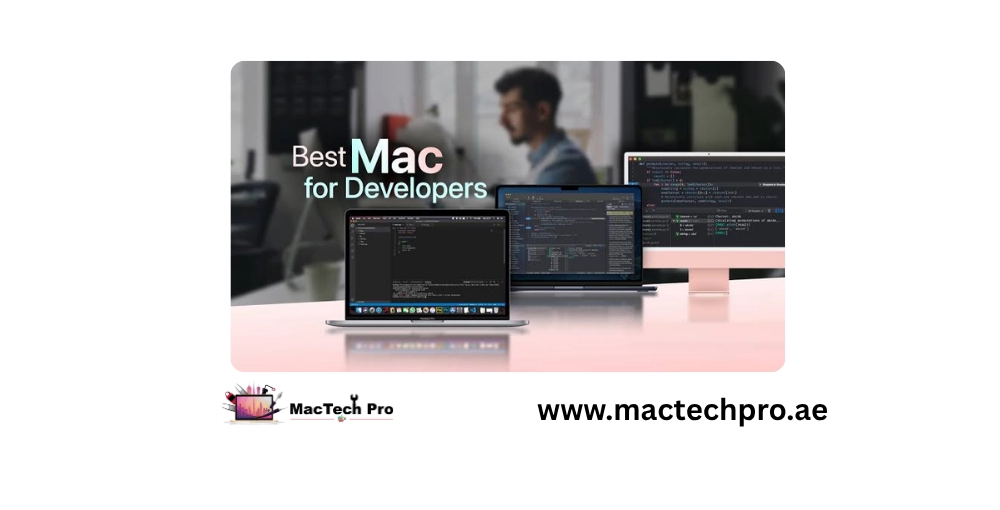
The good news for developers: even the entry Apple Silicon Macs are excellent for code. The real decisions are about RAM, storage, and how much chip you actually need — and it's easy to overspend on power you'll never use, or underspend and regret it. This guide breaks it down by the kind of development you do. (We're a repair shop, not a reseller, so there's nothing for us to upsell — just straight advice.)
More than raw chip speed, RAM determines how many tools, containers, simulators, and browser tabs you can run at once. For most developers this is the single most important spec. On Apple Silicon you cannot upgrade RAM later — it's soldered — so buy enough up front.
Codebases, dependencies, Docker images, Xcode, and VMs eat space fast. Like RAM, storage is soldered on Apple Silicon and can't be upgraded after purchase, so don't go too small.
Base M-series chips are plenty for most coding. You only need Pro/Max tiers for genuinely heavy parallel work, large builds, AI/ML, or 3D/game workloads.
| Developer Type | Sensible RAM | Notes |
|---|---|---|
| Web / front-end | 16–24GB | Comfortable for editors, browsers, Node, containers |
| Mobile (iOS/Android) | 24–32GB | Simulators and emulators are memory-hungry |
| Backend / DevOps | 32GB+ | Multiple containers, databases, VMs |
| AI / ML | 32–128GB | Local models need lots of unified memory |
| Game dev | 32GB+ | Engines and assets are heavy |
A MacBook Air (M4 or M5) with 16–24GB RAM is a superb, cost-effective choice — silent, light, and more than capable for most web and scripting work. Only step up to a Pro if you regularly run heavy local services.
A 14-inch MacBook Pro (M4/M5 or M-Pro) with 24–32GB is the sweet spot — the active cooling sustains long builds better than the fanless Air, and the extra RAM handles simulators comfortably.
This is where the M5 generation shines — the new per-core GPU Neural Accelerators make on-device model work dramatically faster. Prioritise maximum unified memory you can afford (running local LLMs is memory-bound); an M5 Pro/Max with 64GB+ is ideal.
Go for a MacBook Pro with an M-Pro or M-Max chip and 32GB+ — the stronger GPU and ray-tracing improvements in the M5 family genuinely help engines and asset pipelines.
Fanless, so under sustained heavy load it eventually throttles — but for short bursts and typical web work, you'll rarely notice. Silent and light. If your work is bursty, the Air.
Active cooling holds peak performance through long builds, renders, and training runs — plus more ports and a brighter display. That's what you're paying extra for. If your work is sustained and heavy, the Pro.
We don't sell Macs, but we keep developers' machines running — and we'll happily give honest advice on what to buy. If you already have a capable older Mac, MacTech Pro — Dubai's most trusted MacBook service center with 380+ reviews — can often extend its life with a battery, cooling, or (on Intel models) storage upgrade, saving you a big spend. And when a work machine goes down, our technician Dan offers fast turnaround and data-safe repair so you're not stuck for long.
→ Dev machine down, or want a second opinion before buying? Message MacTech Pro now. See also M5 vs M4 and repair vs replace.
Two quick steps — tell us about your MacBook Pro, then how to reach you. Free diagnosis, written quote, 90-day warranty.
Tap “Send on WhatsApp” and your details are pre-filled in a message to our team. We reply with a free written quote — no obligation.
Real reviews from MacBook Pro owners across Dubai who trusted us with their screen repair.